
Understand credits and trial limits
Know what your balance means before starting a job.
On this page
Credit is processing timeCheck the cost before you confirmAn example of dubbing regenerationThe Basic trial is a lifetime allowanceRenewal, expiry, and top-upsVisual walkthrough
Select a step to see what to do. Enlarge the image for a closer look.
Credit is processing time
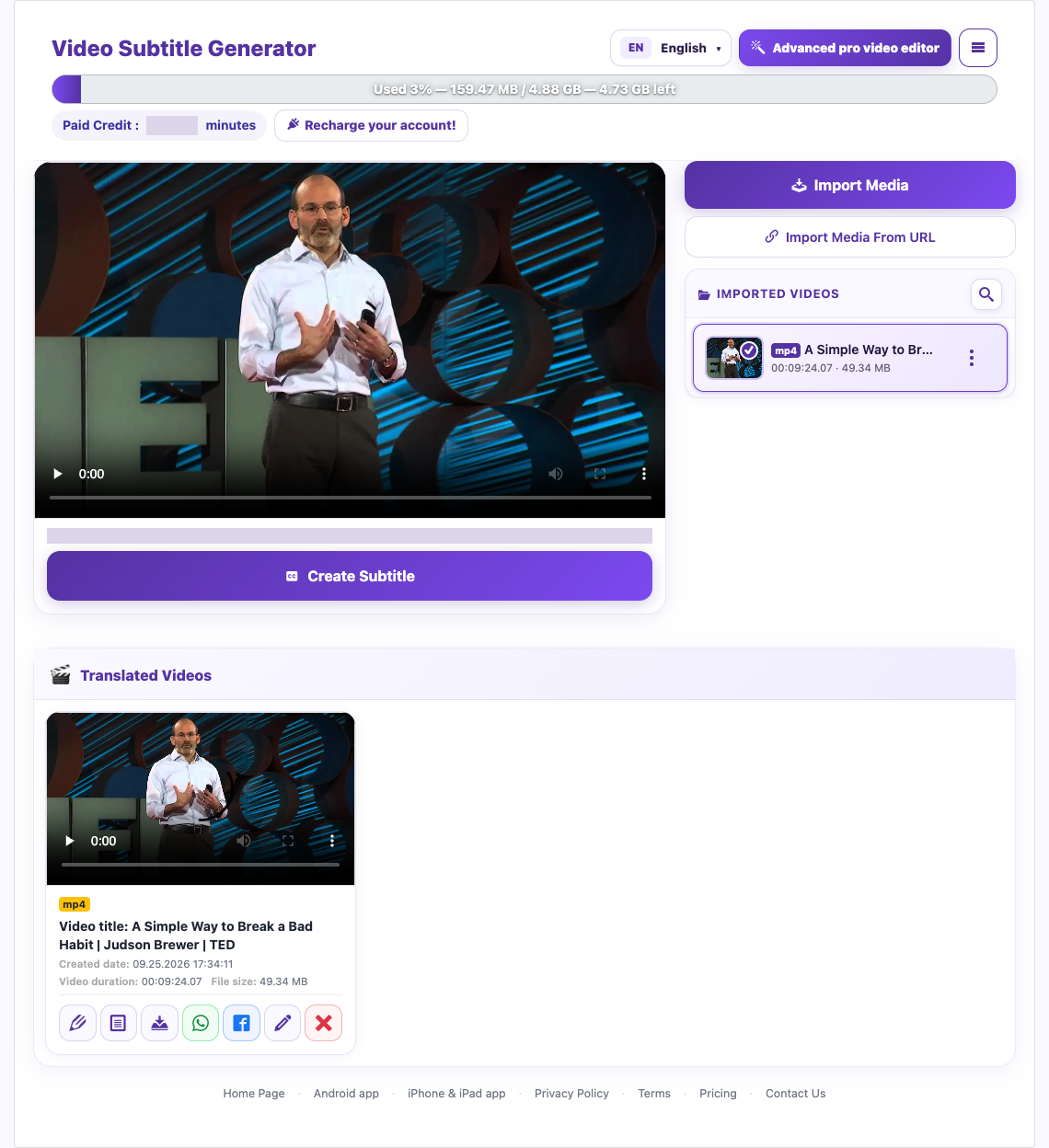
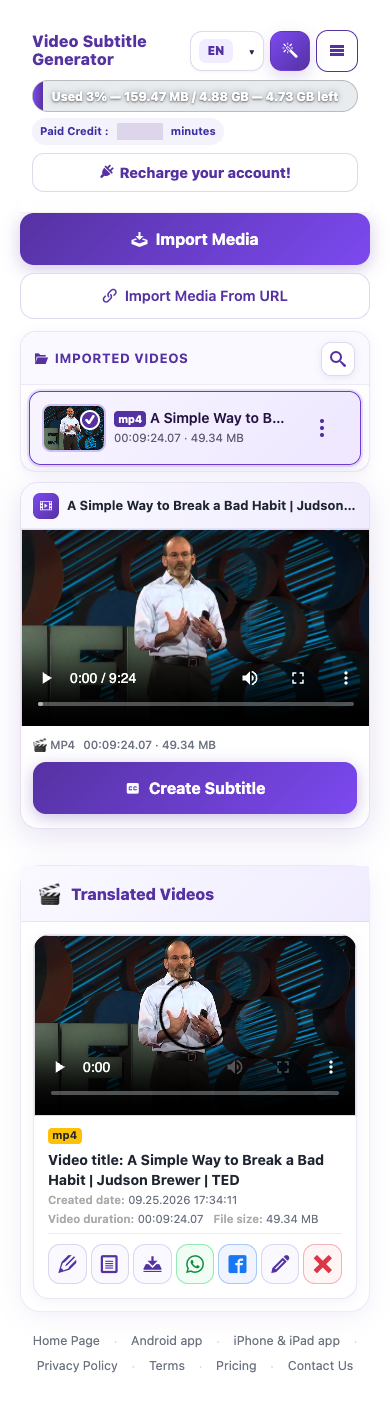
Paid credit is processing time, displayed in minutes or hours. Processing a paid video deducts the processed video duration. First-time dubbing is bundled with the original video processing; creating another dub for a video that already has a completed dub costs its duration again. Your plan, subscription state, balance and expiry still determine access.
An example of dubbing regeneration
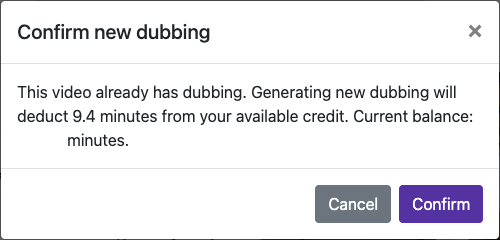
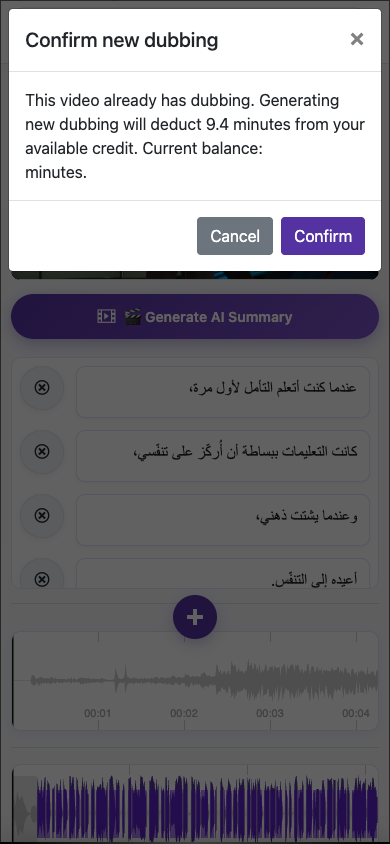
For a 2-minute paid video, the original processing consumes 2 minutes of credit, with first-time dubbing bundled in. Regenerating a completed dub costs another 2 minutes after confirmation. If you start that regeneration with 10 minutes, 8 minutes remain. Separate AI creation or summary tools may have different costs; use their confirmation screens.
Captured from the live website. Private account details are hidden. Balances and files shown in tutorial images are examples, not your account or a current offer.
Open the websiteCredit is processing time
Paid credit is processing time, displayed in minutes or hours. Processing a paid video deducts the processed video duration. First-time dubbing is bundled with the original video processing; creating another dub for a video that already has a completed dub costs its duration again. Your plan, subscription state, balance and expiry still determine access.
Check the cost before you confirm
Check your available balance
Open your account or subscription details and read the remaining credit and validity date.
Review the video duration
Longer videos require more processing allowance. If the job exceeds your available credit, shorten the source clip or add credit.
Read the confirmation
Check the charge shown for the action before starting it. Generating new dubbing for an already dubbed video deducts the duration shown in its confirmation.
Plan revisions first
Correct captions, select the voice, and decide the background mix before regenerating. A new audio generation can spend credit again.
An example of dubbing regeneration
For a 2-minute paid video, the original processing consumes 2 minutes of credit, with first-time dubbing bundled in. Regenerating a completed dub costs another 2 minutes after confirmation. If you start that regeneration with 10 minutes, 8 minutes remain. Separate AI creation or summary tools may have different costs; use their confirmation screens.
The Basic trial is a lifetime allowance
The current Basic trial includes 1 successful free video translation, up to 5 minutes per video; 1 free dubbing generation; 1 AI summary; and 6 downloads shared between video and VTT files. Downloading either type uses the same pool. These are account-lifetime limits, not a daily refill. Read the current account confirmation if an offer changes.
Renewal, expiry, and top-ups
Monthly credit has a validity period. Do not assume unused minutes roll over automatically. Before a top-up or plan change, check the resulting balance and expiry shown by the website. For current prices and included time, use the Pricing page rather than an old tutorial.
Questions about this guide
How are processing credits calculated?
Paid credit is processing time, displayed in minutes or hours. Processing a paid video deducts the processed video duration. First-time dubbing is bundled with the original video processing; creating another dub for a video that already has a completed dub costs its duration again. Your plan, subscription state, balance and expiry still determine access.
Visual walkthrough
Select a step to see what to do. Enlarge the image for a closer look.
Check your available balance
Captured from the live website. Private account details are hidden. Balances and files shown in tutorial images are examples, not your account or a current offer.
What is included in the free trial?
The current Basic trial includes 1 successful free video translation, up to 5 minutes per video; 1 free dubbing generation; 1 AI summary; and 6 downloads shared between video and VTT files. Downloading either type uses the same pool. These are account-lifetime limits, not a daily refill. Read the current account confirmation if an offer changes.
Longer trial videos are cut to the per-video limit. Confirm the result duration before assuming the whole video was processed.
Visual walkthrough
Select a step to see what to do. Enlarge the image for a closer look.
Check your available balance
Captured from the live website. Private account details are hidden. Balances and files shown in tutorial images are examples, not your account or a current offer.
Does generating another dub use more credit?
For a 2-minute paid video, the original processing consumes 2 minutes of credit, with first-time dubbing bundled in. Regenerating a completed dub costs another 2 minutes after confirmation. If you start that regeneration with 10 minutes, 8 minutes remain. Separate AI creation or summary tools may have different costs; use their confirmation screens.
Visual walkthrough
Select a step to see what to do. Enlarge the image for a closer look.
An example of dubbing regeneration
Check your available balance
Captured from the live website. Private account details are hidden. Balances and files shown in tutorial images are examples, not your account or a current offer.
Need a hand?
Tell us what happened and which step you reached.