
Edit and correct subtitles
Fix text, review timing, and save before generating the final video.
On this page
Open the caption editorKeep captions easy to readText edits and audio are separateKeep an editable copyVisual walkthrough
Select a step to see what to do. Enlarge the image for a closer look.
Review with playback
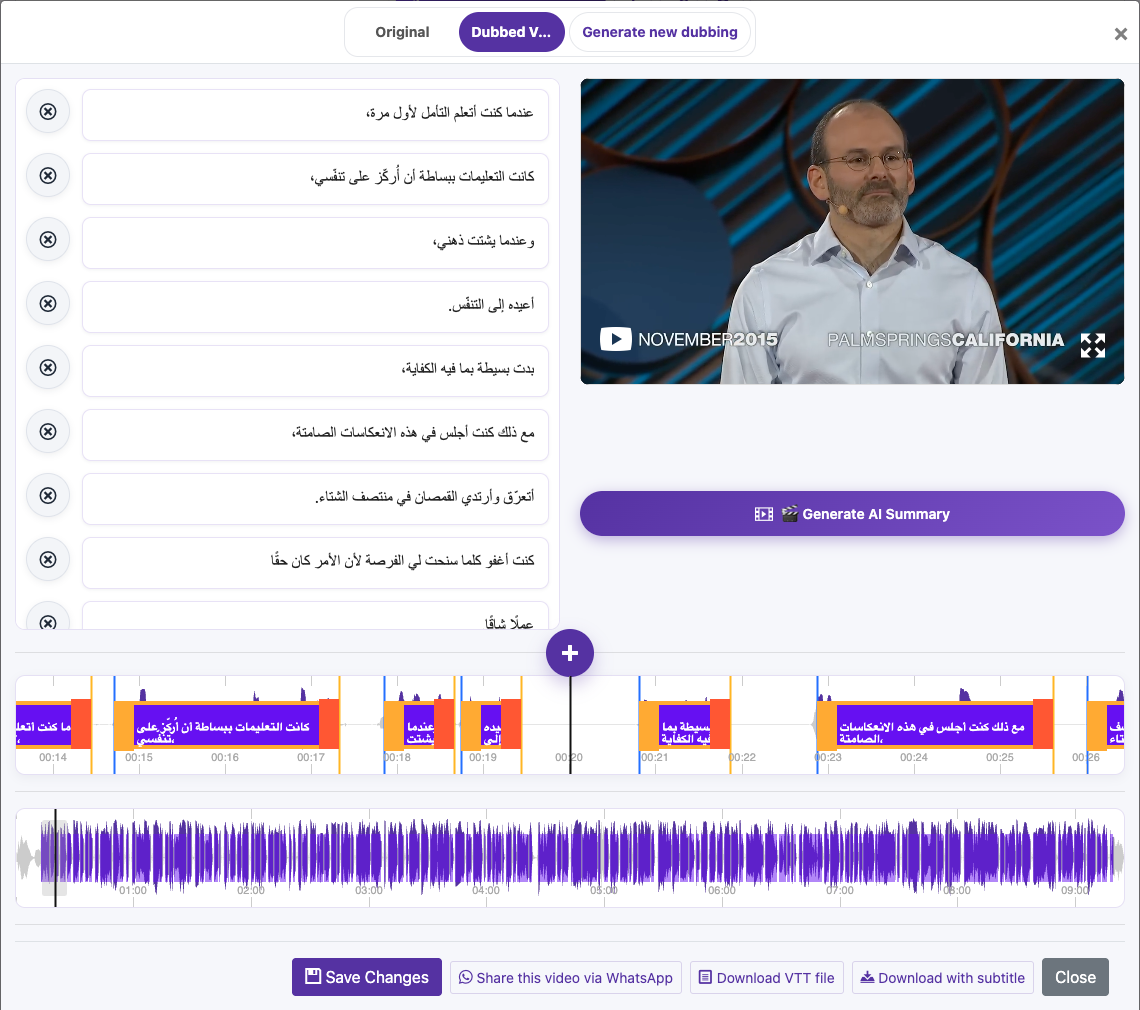
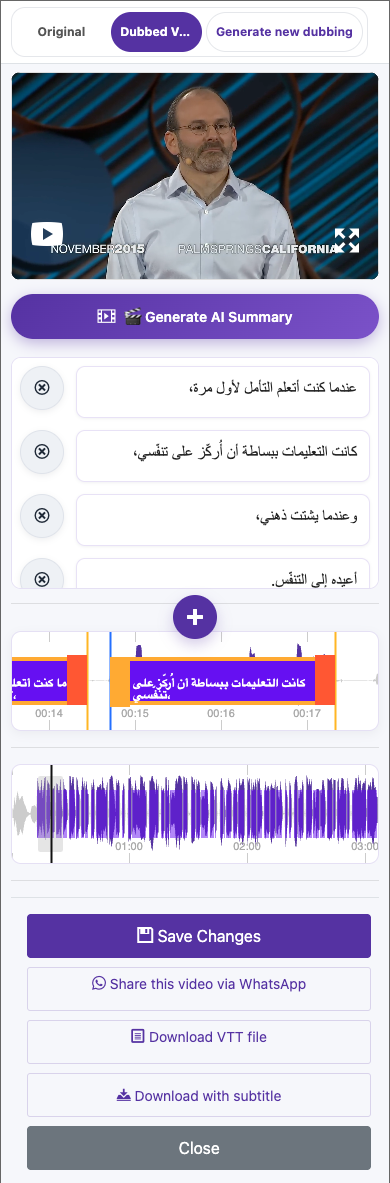
Click a caption once to seek to its time. Click it again while playback is within that caption to edit its text. On mobile, double-tap a caption to enter editing. Work through short sections and compare them with the audio.
Correct the words
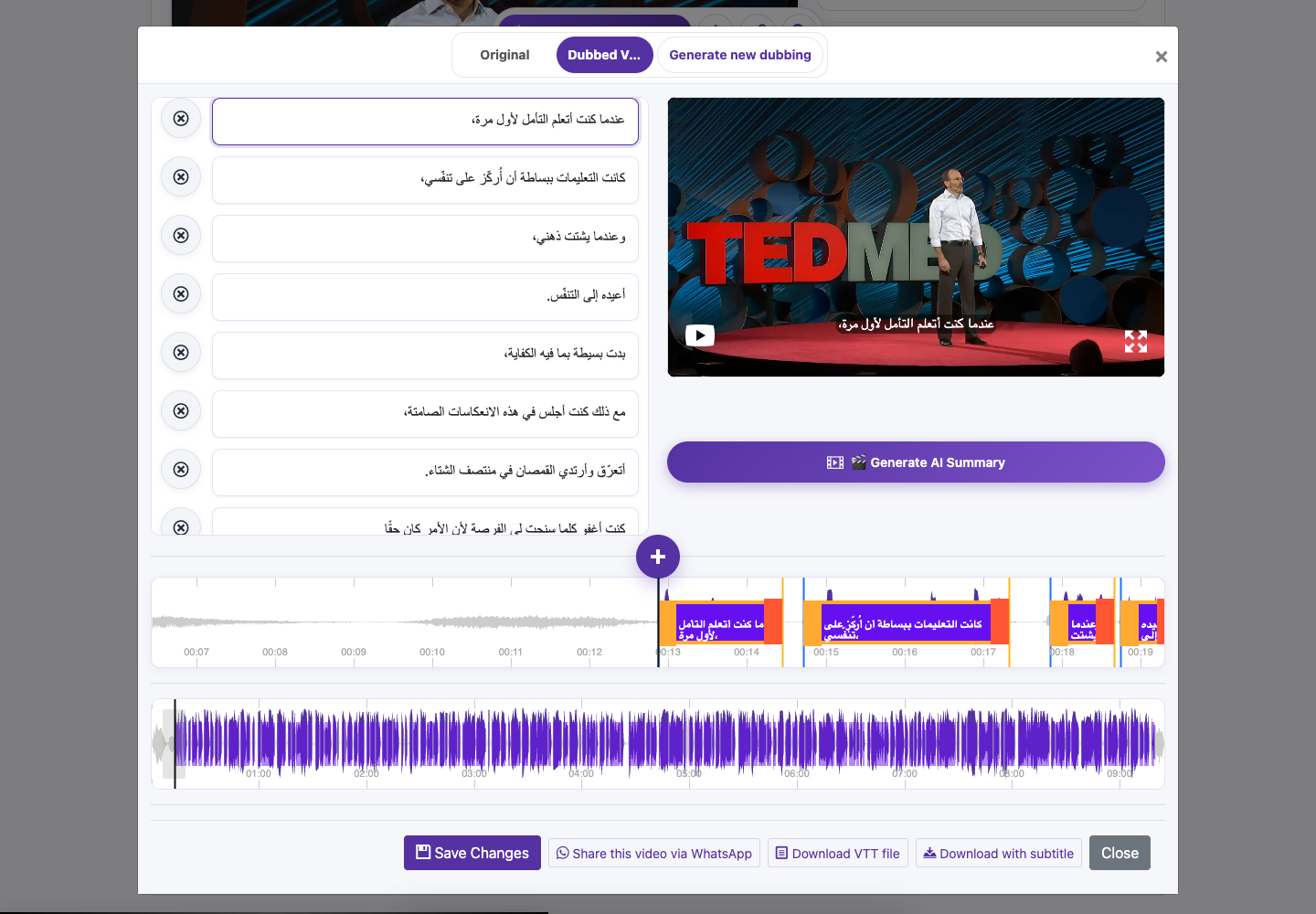
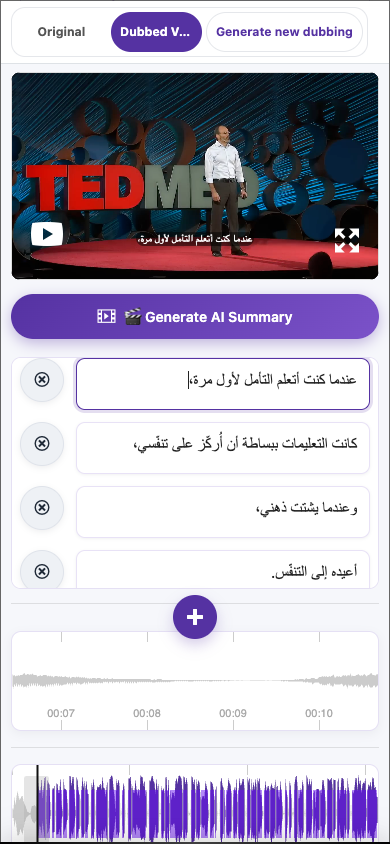
Edit the caption text. Enter inserts a line break; Escape leaves text editing. Pay special attention to names, dates, numbers, punctuation, and specialist vocabulary while preserving meaning.
Check timing
Drag caption boundaries on the waveform to align the text with speech, then replay the section. Keep the start before the end and avoid unintended overlaps. If editing a downloaded VTT file separately, preserve valid timestamps and cue order.
Save Changes
Save before closing the editor. Wait for the Subtitle Saved confirmation and replay the affected section.
Captured from the live website. Private account details are hidden. Balances and files shown in tutorial images are examples, not your account or a current offer.
Open the websiteOpen the caption editor
Find the result
Open the completed video in Translated Videos and choose Edit Caption. Make sure you have the intended language version.
Review with playback
Click a caption once to seek to its time. Click it again while playback is within that caption to edit its text. On mobile, double-tap a caption to enter editing. Work through short sections and compare them with the audio.
Correct the words
Edit the caption text. Enter inserts a line break; Escape leaves text editing. Pay special attention to names, dates, numbers, punctuation, and specialist vocabulary while preserving meaning.
Check timing
Drag caption boundaries on the waveform to align the text with speech, then replay the section. Keep the start before the end and avoid unintended overlaps. If editing a downloaded VTT file separately, preserve valid timestamps and cue order.
Save Changes
Save before closing the editor. Wait for the Subtitle Saved confirmation and replay the affected section.
Keep captions easy to read
Use short, natural phrases and line breaks at sensible points. Avoid covering faces or important on-screen information. Review fast dialogue and longer translated lines on a small screen, where overcrowding is easier to notice.
Text edits and audio are separate
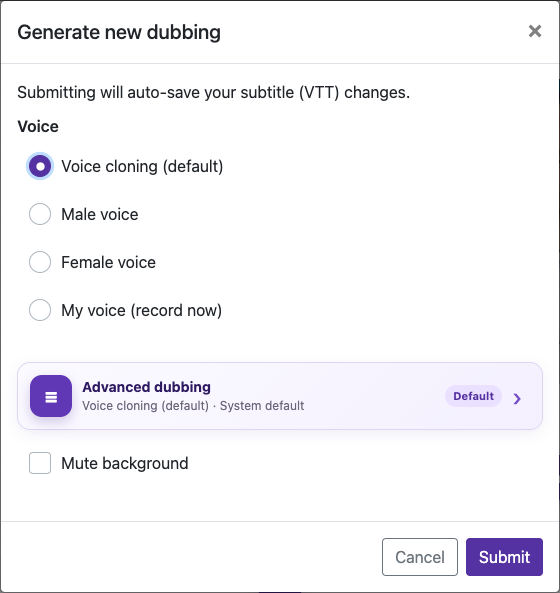
Saving caption changes does not automatically replace an existing dubbed soundtrack. If spoken words need to change too, choose Generate new dubbing, review the settings and cost, then listen to the new version. Likewise, an already downloaded burned-in video must be exported again to include your latest captions.
Keep an editable copy
Download the VTT file after saving. It keeps caption text and timestamps separate from the video and is useful for later editing or uploading to a compatible player.
Questions about this guide
How do I correct and save subtitle text?
Open the completed video in Translated Videos and choose Edit Caption. Make sure you have the intended language version.
Click a caption once to seek to its time. Click it again while playback is within that caption to edit its text. On mobile, double-tap a caption to enter editing. Work through short sections and compare them with the audio.
Edit the caption text. Enter inserts a line break; Escape leaves text editing. Pay special attention to names, dates, numbers, punctuation, and specialist vocabulary while preserving meaning.
Save before closing the editor. Wait for the Subtitle Saved confirmation and replay the affected section.
Visual walkthrough
Select a step to see what to do. Enlarge the image for a closer look.
Correct the words
Save Changes
Captured from the live website. Private account details are hidden. Balances and files shown in tutorial images are examples, not your account or a current offer.
Why did editing captions not change the dubbed voice?
Saving caption changes does not automatically replace an existing dubbed soundtrack. If spoken words need to change too, choose Generate new dubbing, review the settings and cost, then listen to the new version. Likewise, an already downloaded burned-in video must be exported again to include your latest captions.
Visual walkthrough
Select a step to see what to do. Enlarge the image for a closer look.
Save Changes
Open dubbing options
Captured from the live website. Private account details are hidden. Balances and files shown in tutorial images are examples, not your account or a current offer.
Need a hand?
Tell us what happened and which step you reached.