
Use mobile devices and keep your files
Upload, record, download, and keep a backup of completed work.
On this page
Upload from your phoneRecord and edit on a small screenFind your downloadKeep a backupWebsite and mobile appsVisual walkthrough
Select a step to see what to do. Enlarge the image for a closer look.
Upload from your phone
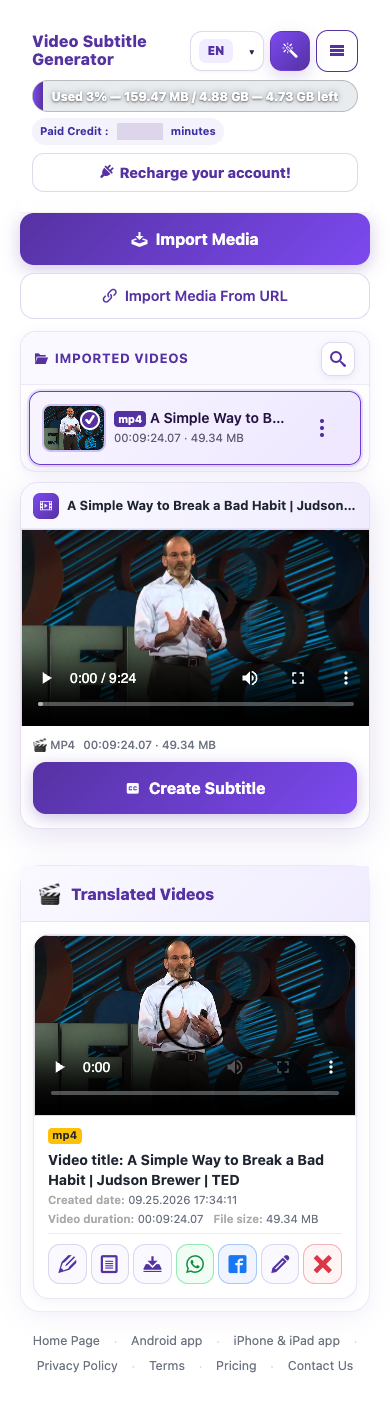
Open the website in your mobile browser and sign in. Choose Import Media, then select a video from your device’s file or photo picker. Keep the page in the foreground until the upload is complete. A stable Wi-Fi connection helps with large files.
Record and edit on a small screen
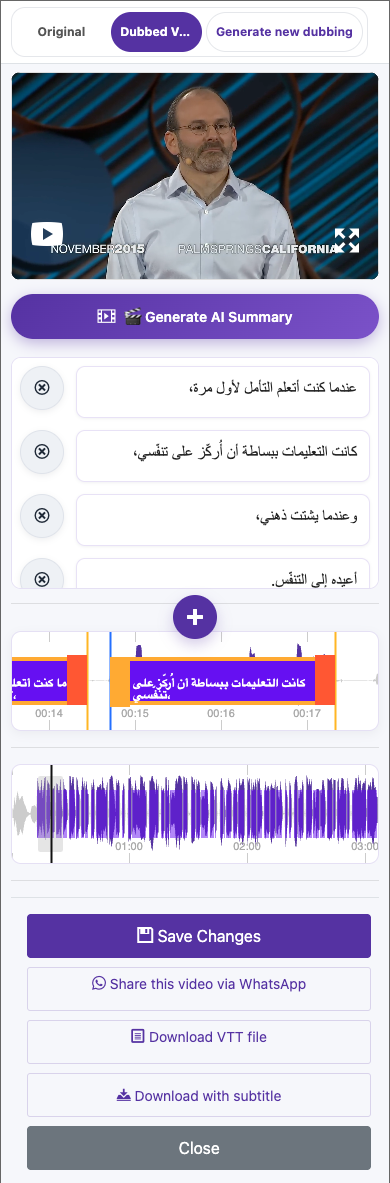
Allow microphone permission when recording your own voice. If controls feel crowded, rotate the device or use a larger screen for detailed caption edits. Check the final result in portrait orientation if that is how your audience will watch.
Find your download
After downloading, check the browser’s downloads list and your device’s Files or Downloads app. If a video opens in a new tab, use the browser’s available save or share action. Confirm the file is saved on your device before closing the page.
Captured from the live website. Private account details are hidden. Balances and files shown in tutorial images are examples, not your account or a current offer.
Open the websiteUpload from your phone
Open the website in your mobile browser and sign in. Choose Import Media, then select a video from your device’s file or photo picker. Keep the page in the foreground until the upload is complete. A stable Wi-Fi connection helps with large files.
Record and edit on a small screen
Allow microphone permission when recording your own voice. If controls feel crowded, rotate the device or use a larger screen for detailed caption edits. Check the final result in portrait orientation if that is how your audience will watch.
Find your download
After downloading, check the browser’s downloads list and your device’s Files or Downloads app. If a video opens in a new tab, use the browser’s available save or share action. Confirm the file is saved on your device before closing the page.
Keep a backup
- Save the original video, the final rendered video, and the VTT captions.
- Use filenames that include the language and version.
- Keep a local or cloud backup outside the processing workspace.
- Review the website’s current storage policy and account expiry notices.
Website and mobile apps
The website links to the official Android and iPhone/iPad apps. Use the same account to avoid splitting your videos and credit between different logins. Subscription management depends on where you purchased.
Questions about this guide
Where is my downloaded video on my phone?
After downloading, check the browser’s downloads list and your device’s Files or Downloads app. If a video opens in a new tab, use the browser’s available save or share action. Confirm the file is saved on your device before closing the page.
Visual walkthrough
Select a step to see what to do. Enlarge the image for a closer look.
Choose Download with subtitle
Captured from the live website. Private account details are hidden. Balances and files shown in tutorial images are examples, not your account or a current offer.
How long are videos kept in my account?
Basic-account files can be removed within 15 days under the storage policy. When a paid subscription ends and the account returns to Basic, that retention policy applies. Keep your own copies.
Review the website’s current storage policy and account expiry notices.
Visual walkthrough
Select a step to see what to do. Enlarge the image for a closer look.
Keep a backup
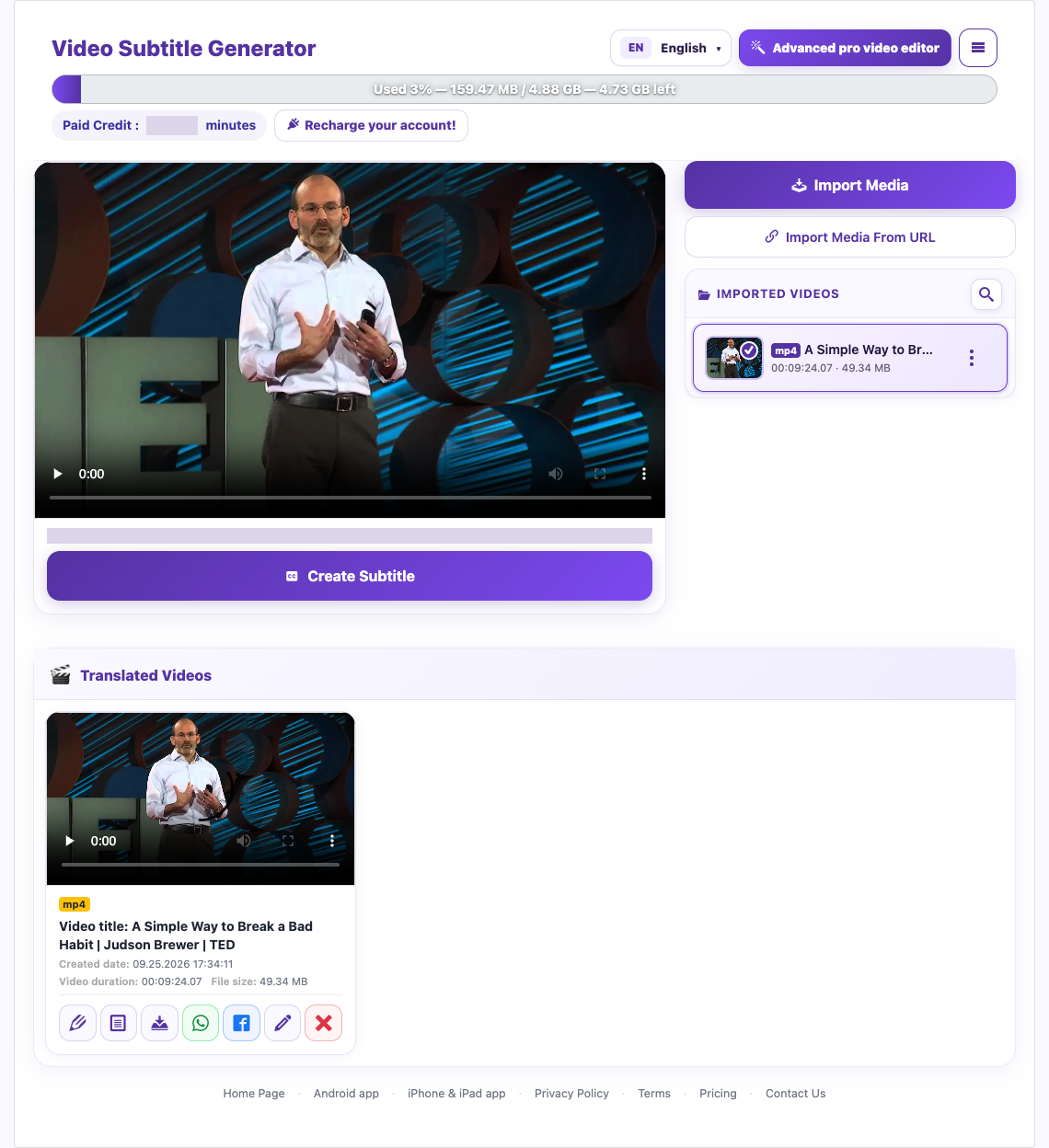
Captured from the live website. Private account details are hidden. Balances and files shown in tutorial images are examples, not your account or a current offer.
Need a hand?
Tell us what happened and which step you reached.